Coming soon

Arklytech Edge

The small Bluetooth device between your phone and the panel. Plug it into a Mercury panel's Ethernet port, connect from the Arklytech app and push a stored configuration in seconds.

Coming soon

Arklytech Edge is not on sale yet. Write to us and we will tell you as soon as you can order one.

The Connect Edge sheet: the connected Arklytech Edge with its battery and firmware version, Disconnect and Switch Edge.
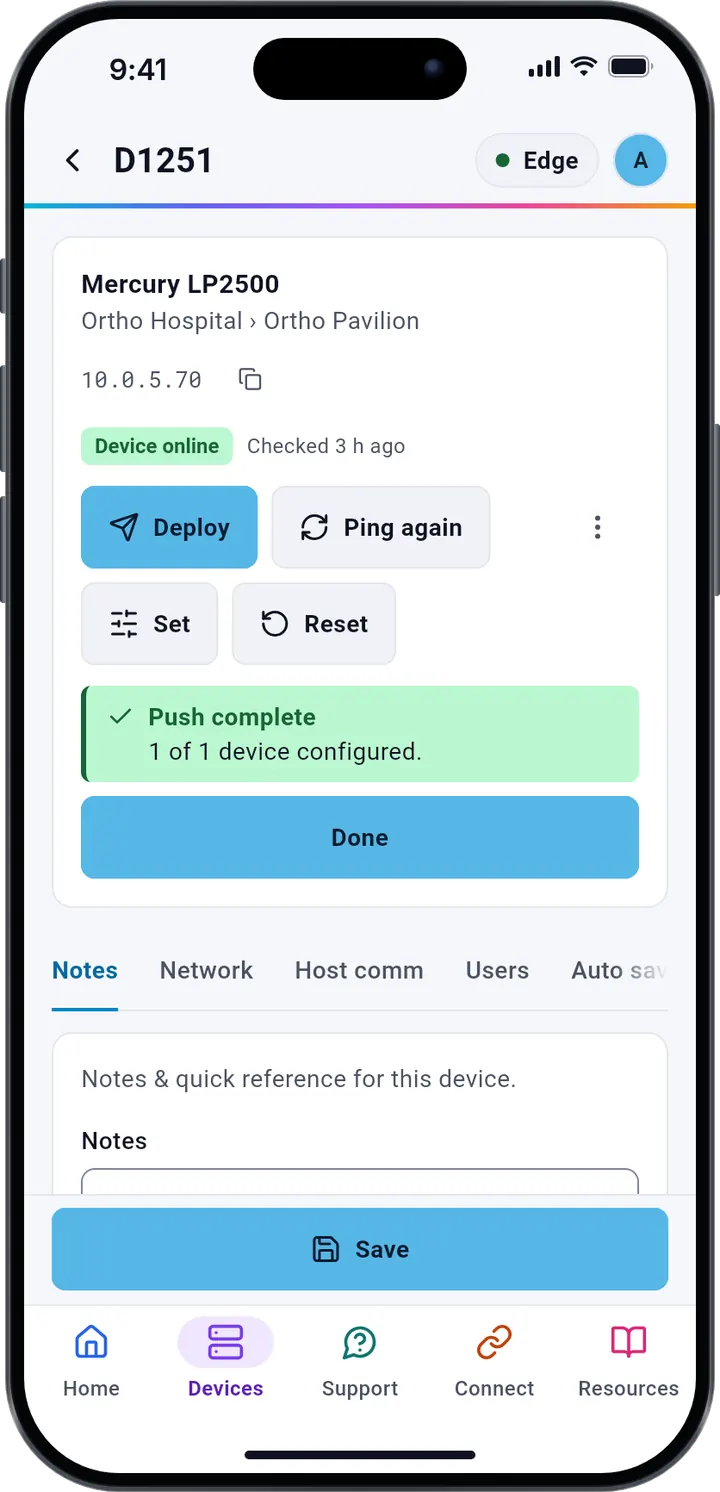
The device page for D1251 after the push: Pushed, OK, and Push complete, 1 of 1 device configured, with a Done button.

What it does

Bluetooth to your phone. Ethernet to the panel.

Edge is the link between the Arklytech app and the equipment on the wall. No laptop, no cable to your phone and no panel web page to fill in by hand.

  • Writes the configuration

    Plug Edge into a Mercury panel's Ethernet port. It writes the configuration the app sends and reports each stage back, so a failure names the stage where it stopped.

  • Encrypted link, signed firmware

    Your phone and Edge talk over an encrypted Bluetooth LE Secure Connections link. Only phones paired while the Edge's pairing window is open can use it. Edge runs only signed firmware, verified by secure boot, and stores no panel passwords. More on security

  • Ping and Discovery

    Ping again asks Edge which devices in a building answer, and Discovery finds the panel on its Ethernet port. Ping a device checks any IP on the Edge's subnet.

  • Its own Wi-Fi, for Direct Connect

    Your phone joins the Edge's Wi-Fi and opens a device's own web page through it: a Mercury panel, or 35 models from 7 other brands. That Wi-Fi uses WPA2 with a password unique to each Edge.

  • Network Access

    Edge joins a 2.4 GHz Wi-Fi network, such as a site router or your phone's hotspot, and shares it with the devices on its Wi-Fi and Ethernet port.

  • Status at a glance

    The app shows its battery level and voltage, firmware version, IP and MAC address, CPU, memory and uptime, and lists every Edge your phone has used.

In the app

Every Edge, on the phone in your hand.

See its status before you start

The Dashboard shows the connected Edge with its MAC address and firmware, then its CPU, memory and uptime. The Connect Edge sheet lists every Edge your phone has used, with battery and firmware version, and switches between them.
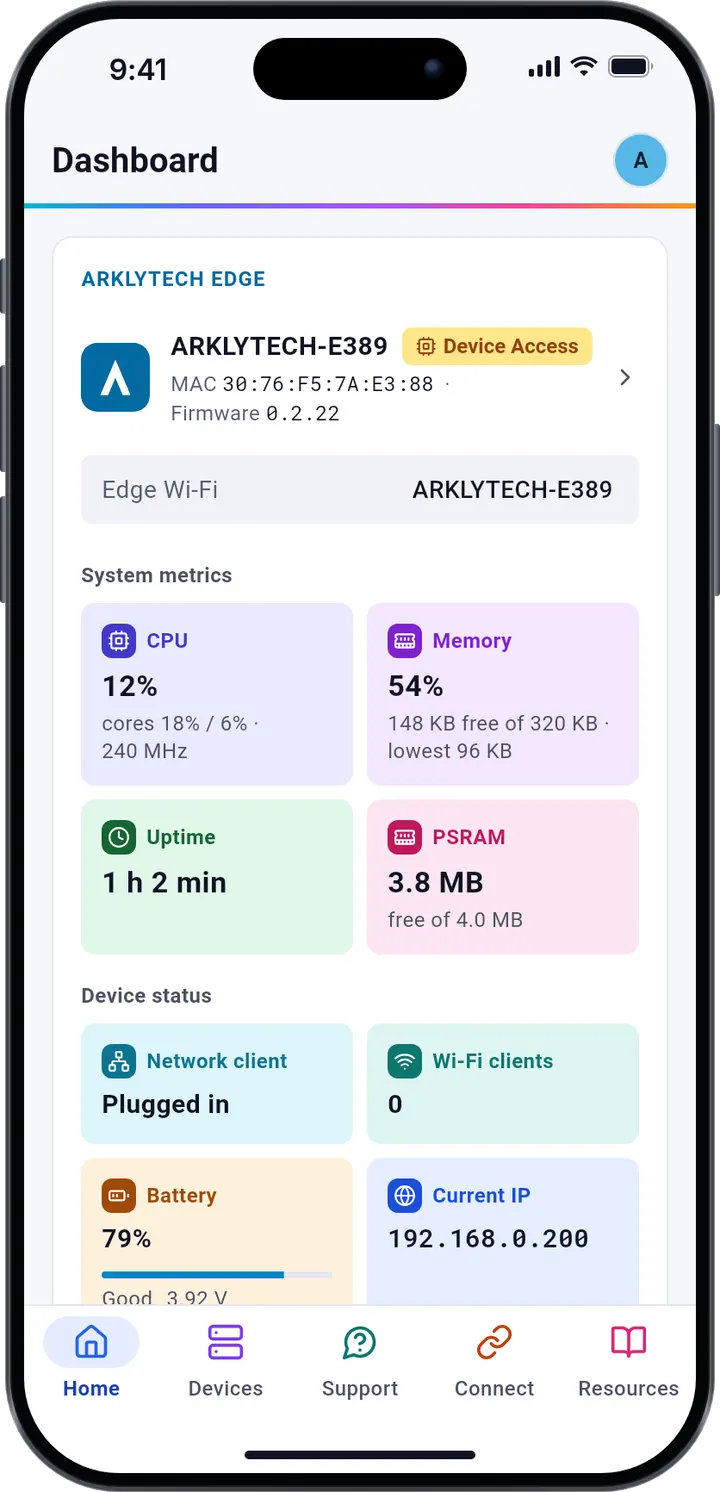
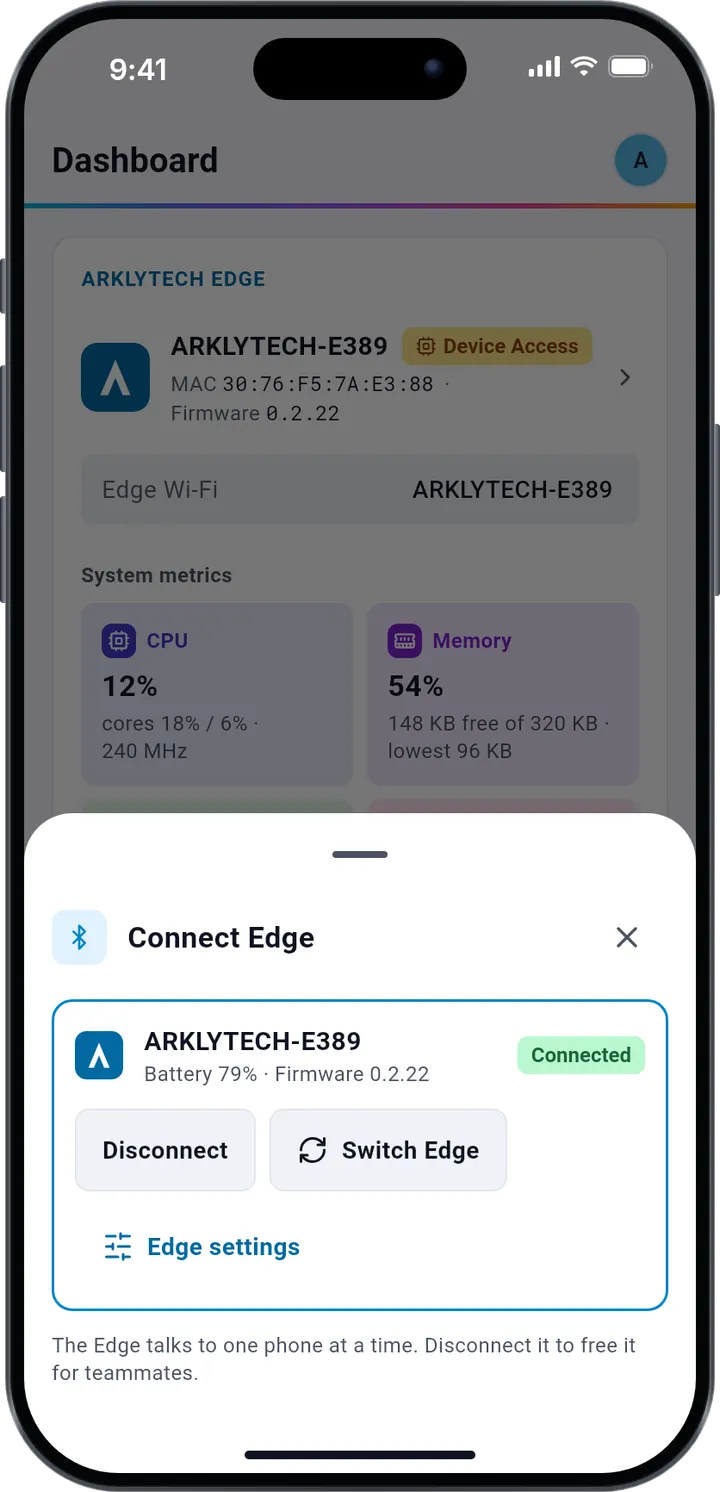
The Arklytech app's Dashboard on a phone: the connected Arklytech Edge with its MAC address and firmware, then its CPU, memory and uptime.
The Connect Edge sheet: the connected Arklytech Edge with its battery and firmware version, Disconnect and Switch Edge.

Open any device's own web page

Direct Connect lists 35 device models from 7 brands, each with its default IP address and protocol. Connect opens the device's own web page in the app: your phone on the Edge's Wi-Fi, Edge on the device's Ethernet.

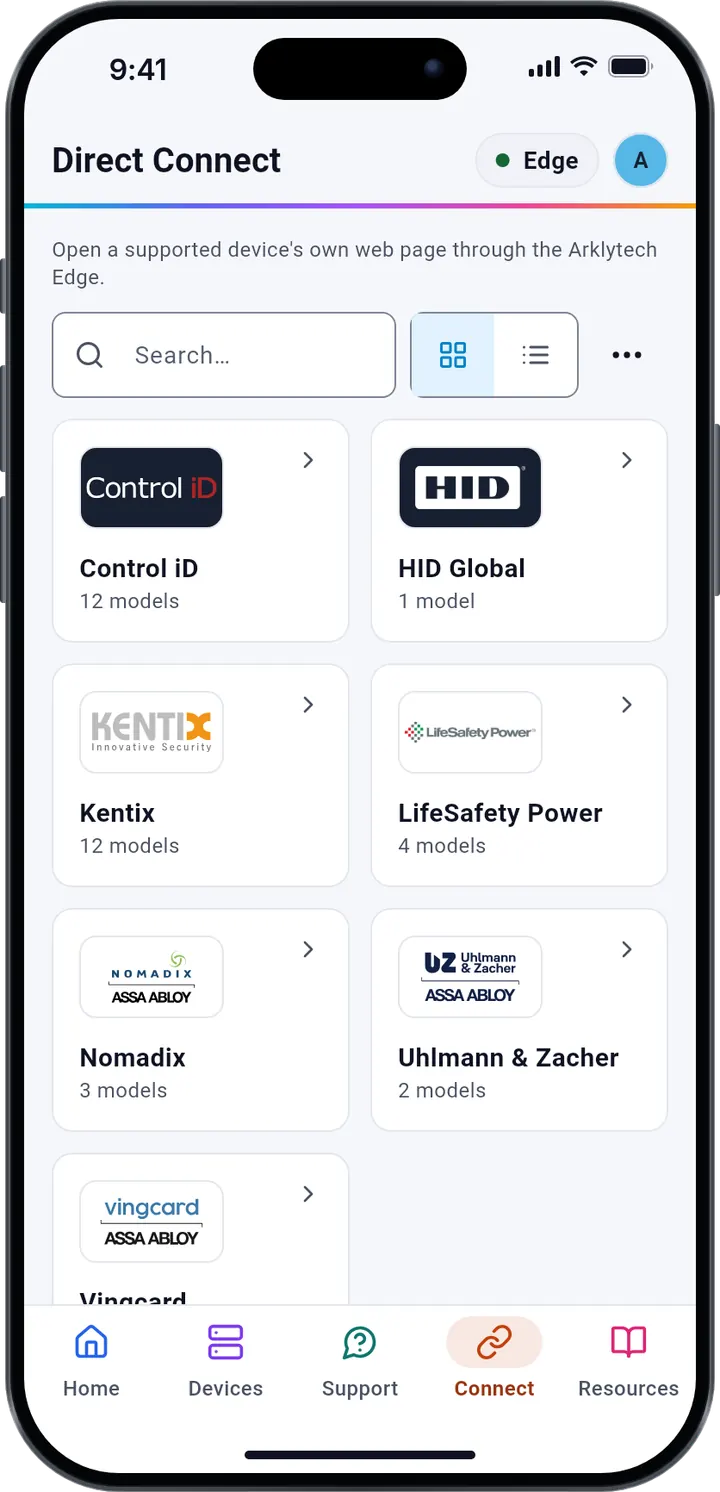
Direct Connect in the app: the seven brands, such as Control iD with 12 models and Kentix with 12, with a search box.
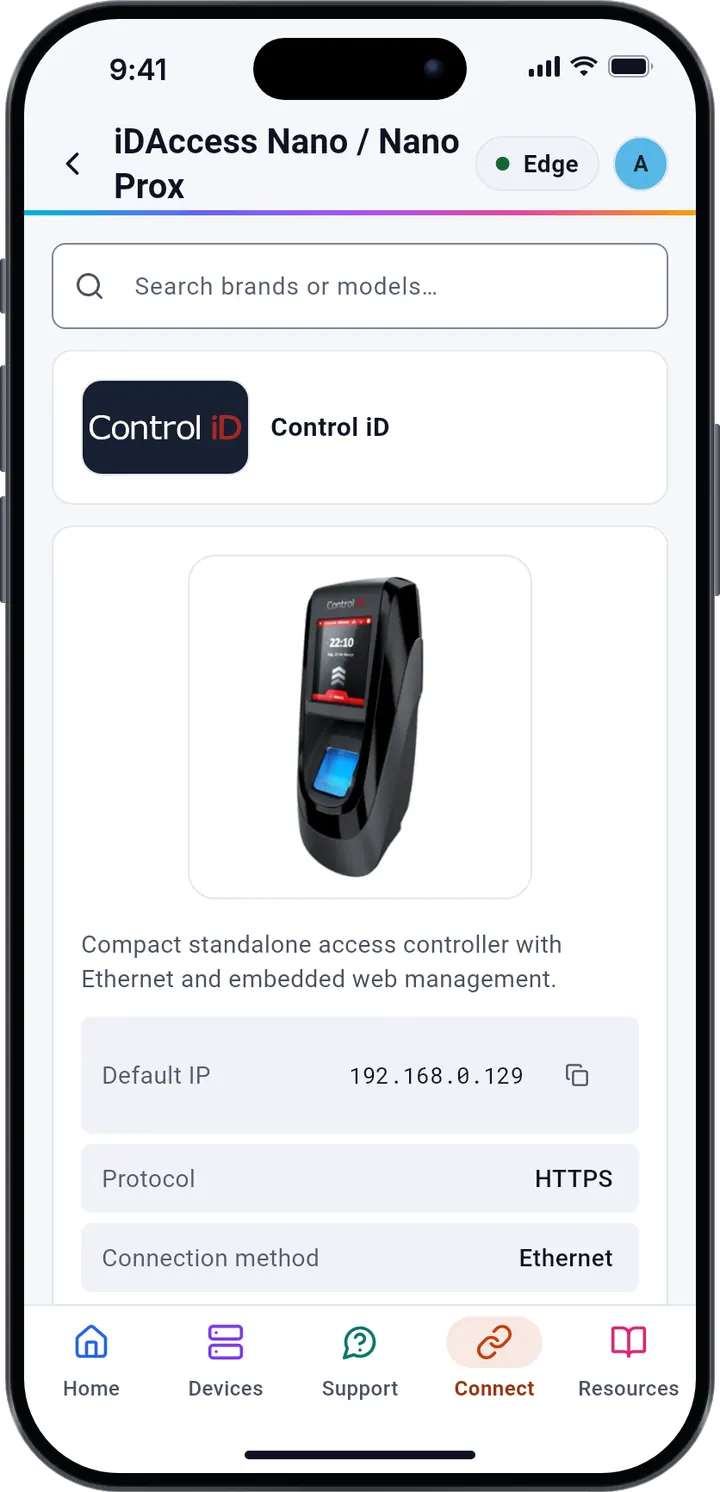
A Direct Connect model, the Control iD iDAccess Nano: Default IP 192.168.0.129, HTTPS, Ethernet, with Connect and Edit details.

Questions

Good to know

What do I need to use it?

The Arklytech app on a phone with Android 10 or later, or an iPhone with iOS 16 or later, and an Arklytech account. Everything you need to use an Edge is free in the app.

Which panels does it work with?

The eight supported Mercury panels: LP1501, LP1502, LP2500, LP4502, MP1501, MP1502, MP2500 and MP4502. Through Direct Connect it also opens the web page of 35 device models from 7 other brands.

Coming soon

Want an Arklytech Edge?

It is not on sale yet. Write to us and we will tell you as soon as you can order one.