Security · cloud, app and Edge

Security from the cloud to the Edge.

Access-control panels protect people and buildings, and their configuration deserves the same care. Arklytech encrypts it on its way between the cloud, your phone and Arklytech Edge, and encrypts every panel password it stores.

  • TLS 1.2 and 1.3 only, with certificate pinning in the app
  • AES-256-GCM for panel passwords, with a key for each organization
  • Encrypted Bluetooth between your phone and Edge
  • Signed firmware on Edge, verified by secure boot
  • Two-factor sign-in for every account, which managers can require
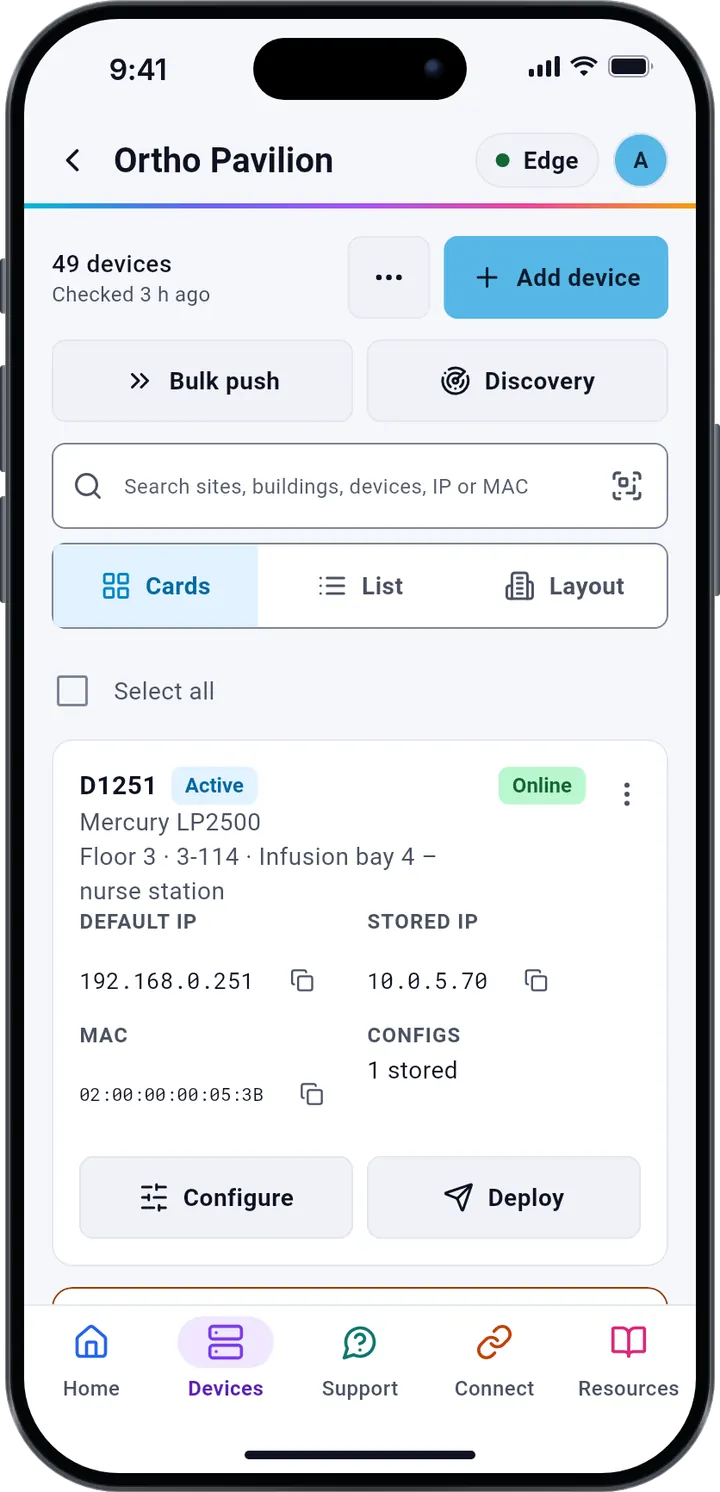
The Arklytech app's Device Manager on a phone: the devices of Ortho Pavilion, each with its Mercury model, floor, room, IP and MAC address.
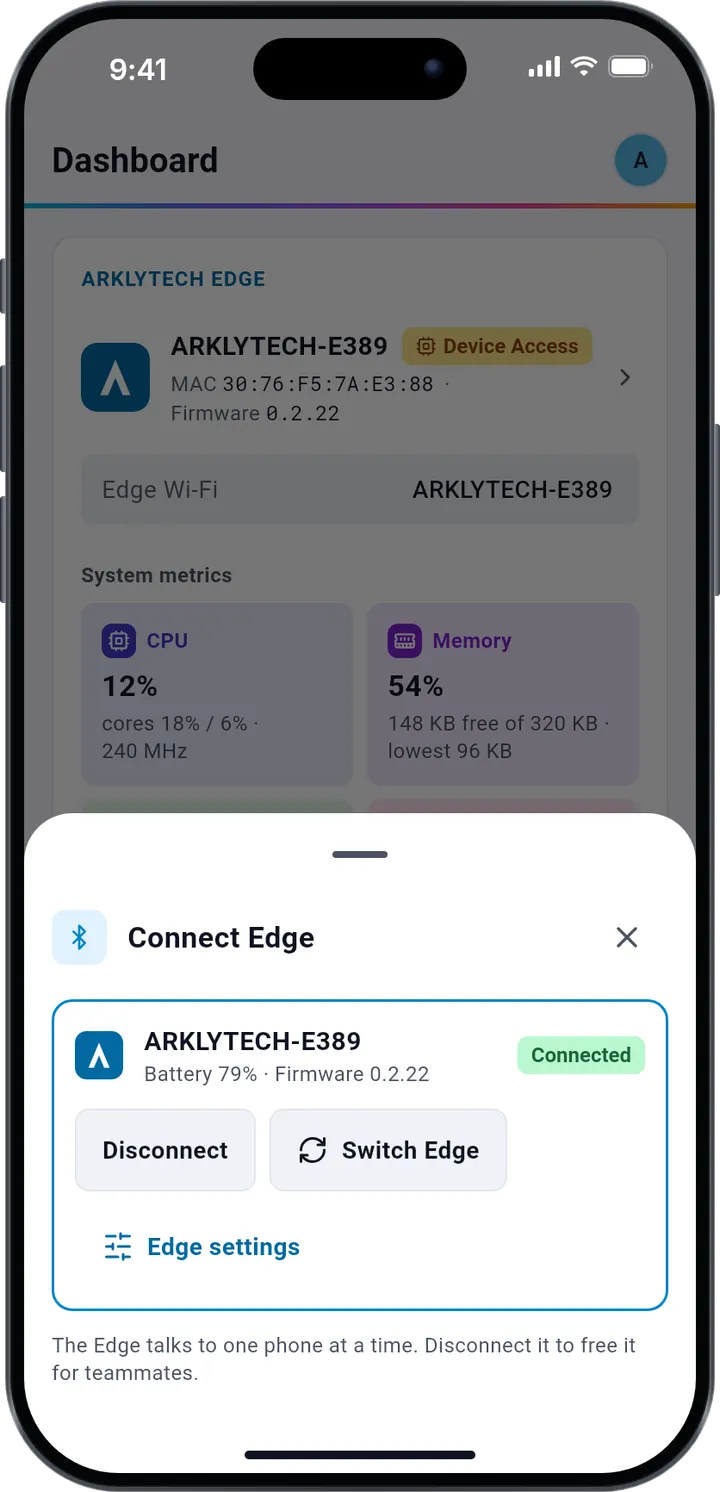
The Connect Edge sheet: the connected Arklytech Edge with its battery and firmware version, Disconnect and Switch Edge.

In transit

Encrypted from the cloud to Edge.

Between the Arklytech cloud and Arklytech Edge, your configurations and panel passwords cross two links, and both are encrypted: TLS to the cloud, and Bluetooth LE Secure Connections to Edge.

  1. Arklytech cloud

    TLS 1.2 · TLS 1.3 · HSTS

    The API and the web portal accept only TLS 1.2 and 1.3, redirect plain HTTP to HTTPS and send HSTS, so browsers keep to encrypted connections.

  2. Phone app

    Android · iOS · Certificate pinning

    The app trusts only the certificate authorities pinned inside it, so it refuses a certificate from any other authority, such as an interception proxy's.

  3. Arklytech Edge

    Bluetooth LE · Ethernet

    Edge and your phone pair with Bluetooth LE Secure Connections, so everything between them, configurations and panel passwords included, travels encrypted.

    Ethernet to the Mercury panel, or to a switch for many panels

Accounts

Sign-in that stays yours.

Every sign-in is checked on our server, whether it uses a password, Google or Apple.

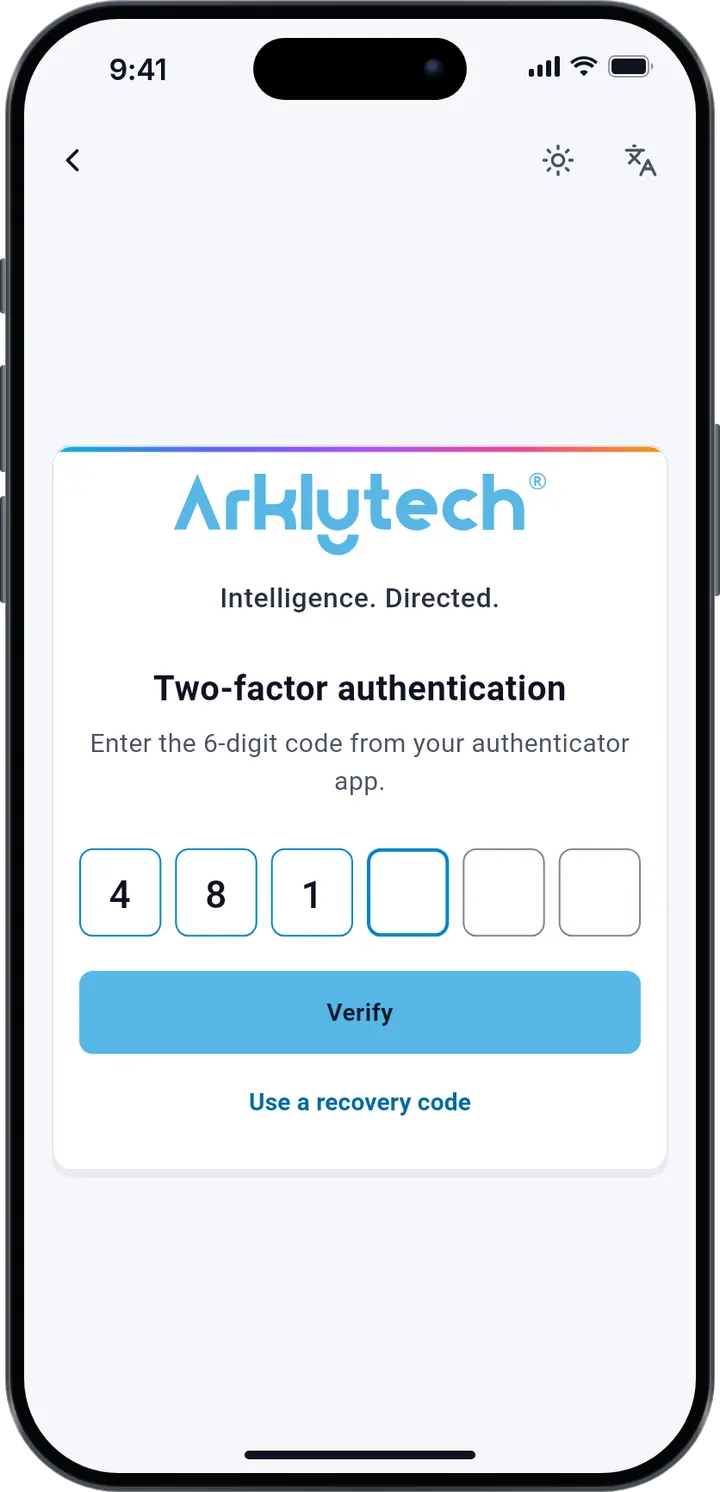
The two-factor screen after sign-in: enter the 6-digit code from your authenticator app, Verify, or use a recovery code.
  • Optional two-factor authenticationAdd a 6-digit code from an authenticator app to every sign-in. Managers can require it for everyone in the organization, and 8 single-use recovery codes cover a lost phone.
  • Passwords stored as bcrypt hashesPasswords need at least 12 characters, are checked against known leaked passwords, and are stored only as bcrypt hashes, never in a form anyone can read.
  • Repeated attempts stoppedAfter 5 failed attempts in 15 minutes, sign-in pauses for 15 minutes and we email you.
  • Alerts for important changesWe email you when your account signs in on a new device, when your password changes and when two-factor sign-in is turned on or off.
  • Sessions you can endSign out everywhere ends every other session at once, and so does a password change. Session tokens are stored only as one-way hashes.
  • Google and Apple, verifiedA Google or Apple sign-in is checked on our server against the provider's signing keys before you are signed in.

At rest

Secrets encrypted before they are stored.

What would do the most harm if it leaked is encrypted or hashed before it reaches the database.

  • Panel passwords, AES-256-GCM

    Panel user passwords and 802.1X passwords are encrypted with AES-256-GCM under a key of their own organization. Those keys are in turn encrypted with a master key kept outside the database.

  • Bound to their record

    Each encrypted value is tied to its own record and field, so a value copied anywhere else does not decrypt.

  • Sign-in secrets

    Authenticator secrets and Apple sign-in tokens are encrypted. Passwords, recovery codes, emailed codes and session tokens are kept only as one-way hashes.

  • Encrypted hourly backups

    The database is backed up every hour and encrypted before it leaves the server. The server holds only the public key, so it cannot read its own backups.

  • A database off the internet

    PostgreSQL runs on a private network inside our server and takes no connections from the internet. The API listens only behind the HTTPS front end.

  • Never in an export

    CSV exports never contain panel passwords, and our server logs leave out passwords, codes, tokens and what you search for.

On the phone

Protected on the device, too.

A phone can be lost on a job site. The app keeps what it stores encrypted, and keeps passwords off the screen.

  • An encrypted database

    The app's database is encrypted with SQLCipher under a 256-bit key held in the iPhone Keychain or the Android Keystore, and erased when you sign out.

  • App lock

    Face ID, a fingerprint or the phone's passcode when the app opens and after time in the background. Managers can require it for the whole team.

  • Passwords only for the push

    The phone fetches panel passwords just before a push and keeps them in memory only while it runs.

  • Private on screen

    A revealed password hides again after 30 seconds, and the app is covered in the app switcher. On Android, a revealed password cannot be captured in a screenshot.

  • Out of device backups

    The app's data is left out of iCloud and Android backups, so a restored or second phone never inherits it.

  • Cleared when access ends

    Signing out, a revoked session or removal from the organization wipes the app's database and keys from the phone.

Arklytech Edge

Pairing on your terms.

Edge sits between your phone and the panel. Its Bluetooth link is encrypted, and a new phone can pair only while its pairing window is open. Edge runs only signed firmware and keeps no panel passwords.

An encrypted link, opened by you

Edge and your phone pair with Bluetooth LE Secure Connections, so configurations and panel passwords cross the air encrypted.

A new phone can pair only during the 3 minutes after Edge is switched on, its button is pressed briefly, or a phone already paired opens the window. At any other time, Edge refuses a phone it does not know.

Every push is recorded in the cloud: which devices, the result, when, by whom and through which Edge.
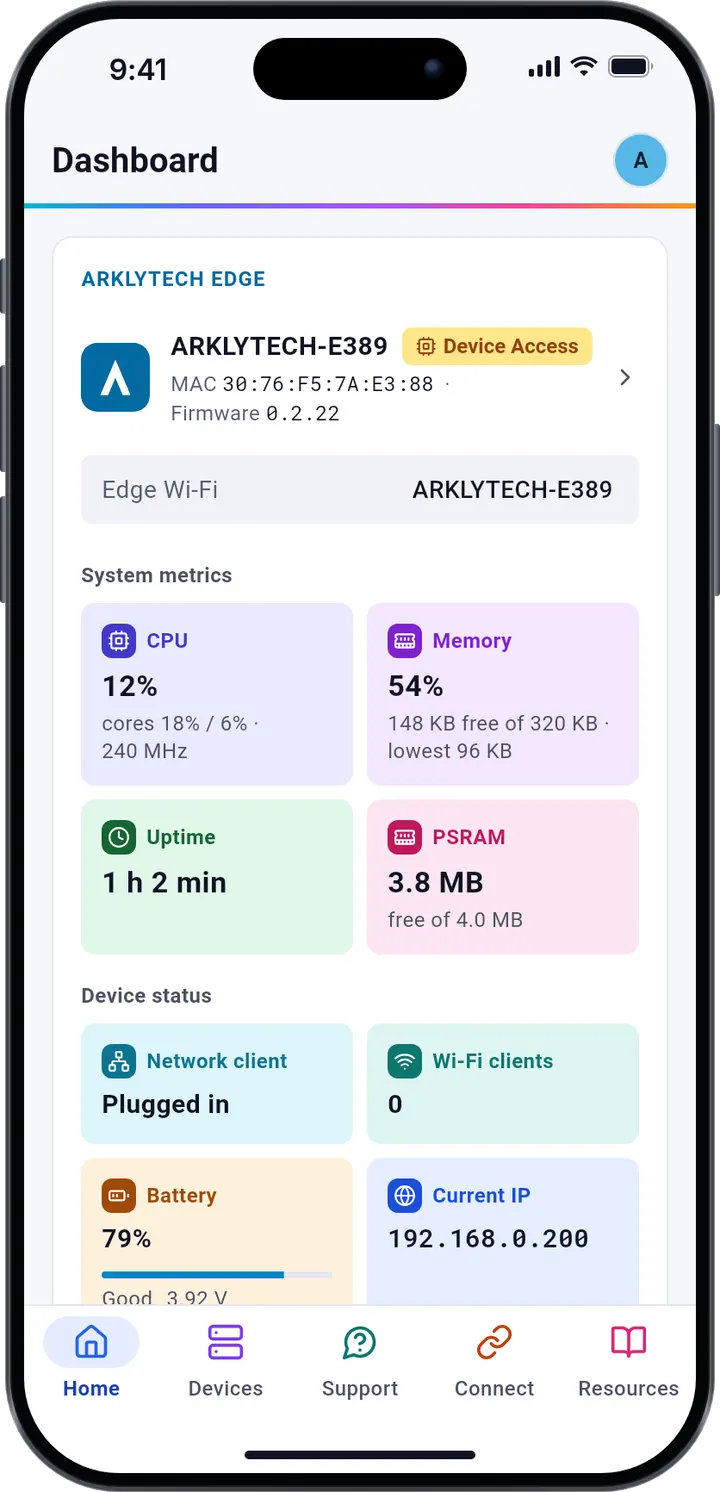
The Arklytech app's Dashboard on a phone: the connected Arklytech Edge with its MAC address and firmware, then its CPU, memory and uptime.
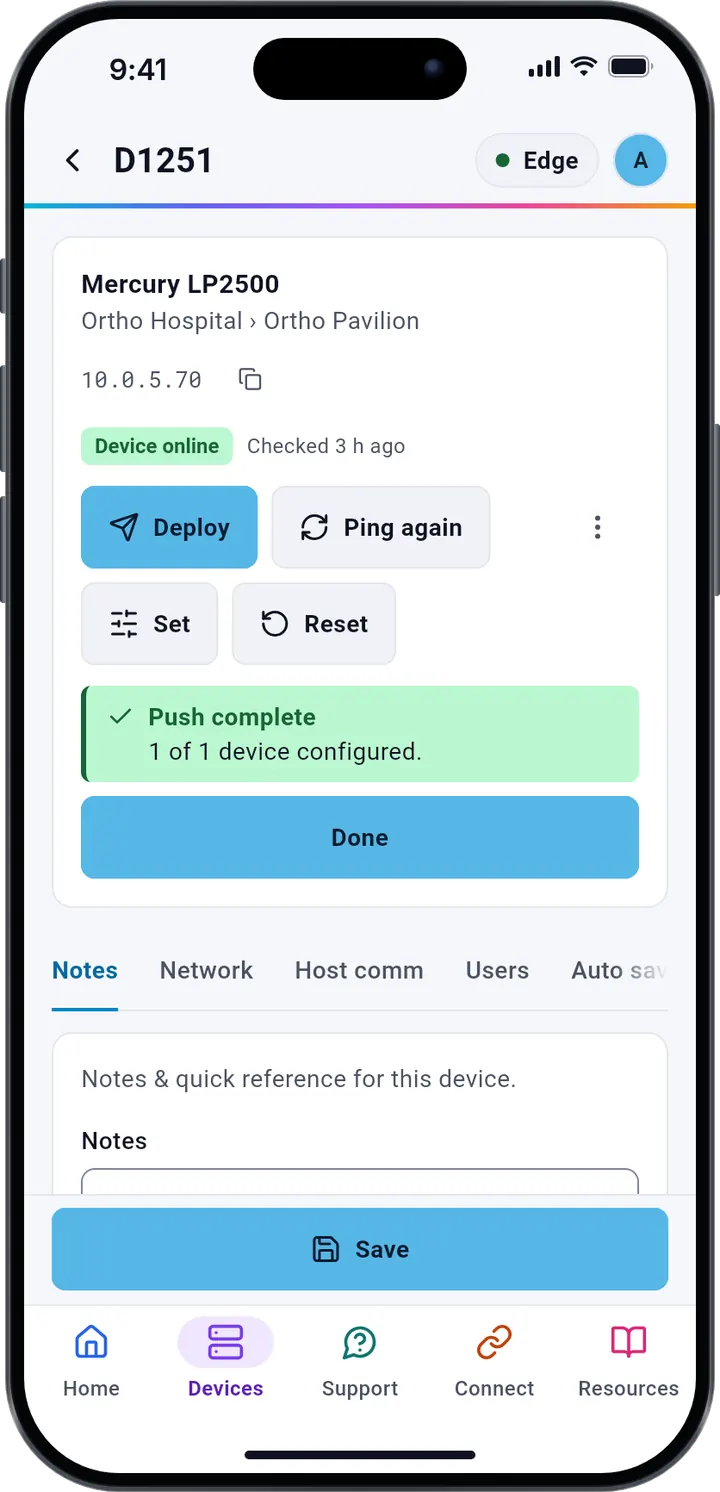
The device page for D1251 after the push: Pushed, OK, and Push complete, 1 of 1 device configured, with a Done button.
  • Signed firmware, secure boot

    Edge firmware is signed, and secure boot verifies its signature each time Edge starts, so Edge runs only genuine Arklytech firmware.

  • No panel passwords on Edge

    Edge does not store panel passwords. They are stored encrypted in Arklytech, and the app sends them to Edge only for the push that needs them, over the encrypted Bluetooth link.

  • Its own Wi-Fi, with WPA2

    The Edge's Wi-Fi, which your phone joins for Direct Connect, is protected with WPA2 and a password unique to each Edge.

Web portal

The same care in a browser.

The web portal at app.arklytech.ai uses the same account and the same sign-in checks, with protections of its own.

  • A session cookie no script can readThe portal's session lives in a secure, HttpOnly cookie that never leaves app.arklytech.ai and that page scripts cannot read.
  • Cross-site requests refusedEvery change must come from the portal itself: a request from another site is refused.
  • A strict content security policyThe portal runs only its own code and Google's sign-in button, and no other site can frame it.
  • Signed out when idleA portal session ends after 30 minutes without use, and 12 hours after sign-in at the latest.
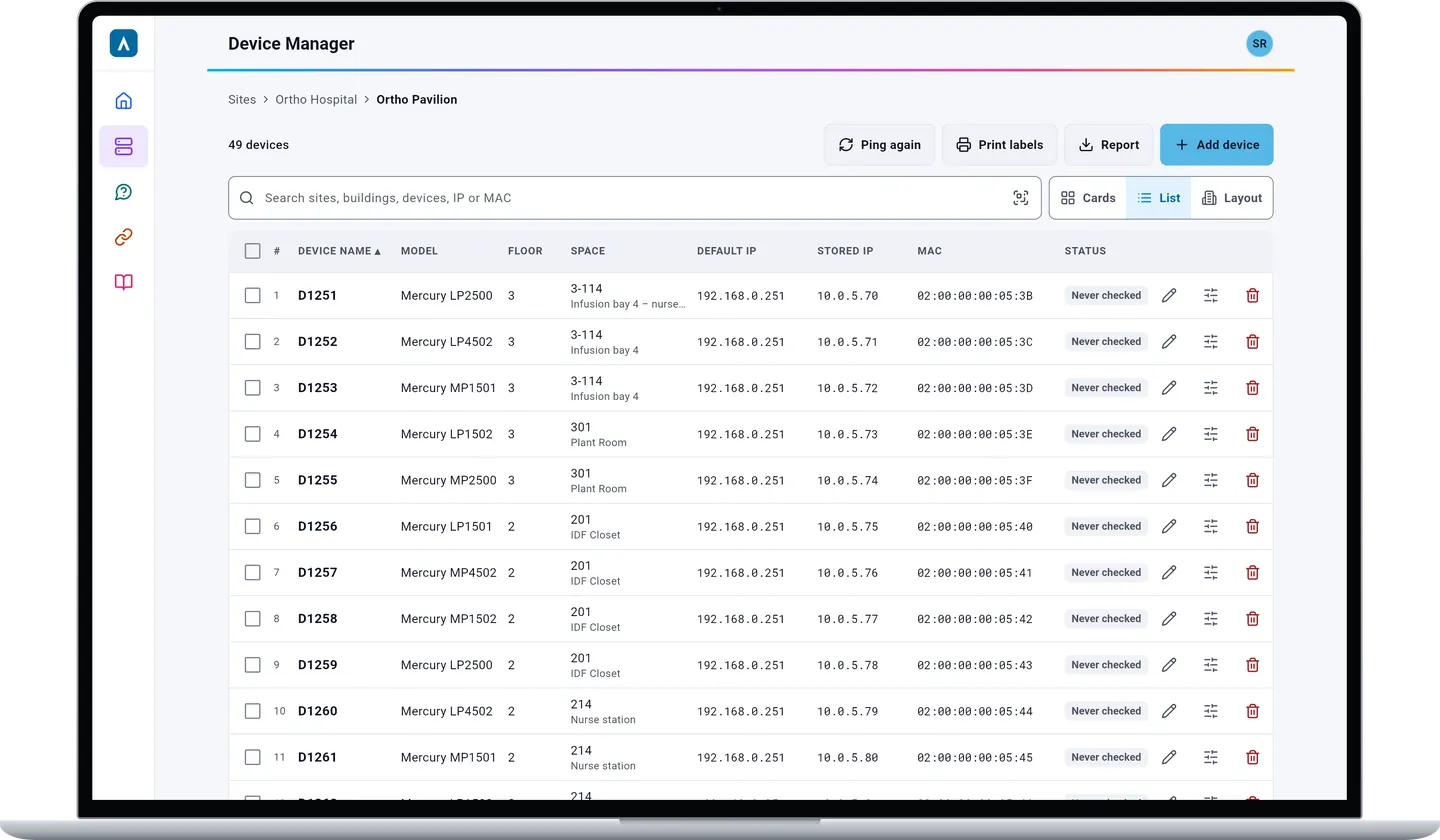
The Arklytech web portal in a browser: Device Manager with the 49 devices of Ortho Pavilion, their models, floors, rooms, IP and MAC addresses.
The web portal at app.arklytech.ai

AI support

Answers from the manuals, with your consent.

Support answers questions from the official manuals and data sheets of the devices in Arklytech, through OpenAI's API.

  • Consent first

    Support asks before your first question, and you can withdraw your consent at any time in Settings › Privacy & data.

  • Only what it needs

    Your question, the earlier messages of that conversation and passages of the documentation are sent, without your name or email address. Under OpenAI's API terms, they are not used to train its models.

  • Deleted on a schedule

    Delete a conversation whenever you like. Conversations not used for 180 days are deleted automatically.

Hosting and privacy

Your data, kept in the United States.

How we collect, use and keep data is set out in the privacy policy.

  • Hosted in the US

    Our server, database, file storage and backups run at DigitalOcean in New York.

  • Separated by organization

    Every request is checked on our server against your organization and the sites you can see, never only in the app.

  • No ads, no tracking

    We do not sell data or show ads. This site loads nothing from other servers: no trackers and no third-party scripts.

Found a security issue?

Please write to contact@arklytech.ai with what you found and the steps to reproduce it, and give us time to fix it before you share it publicly.